What it does
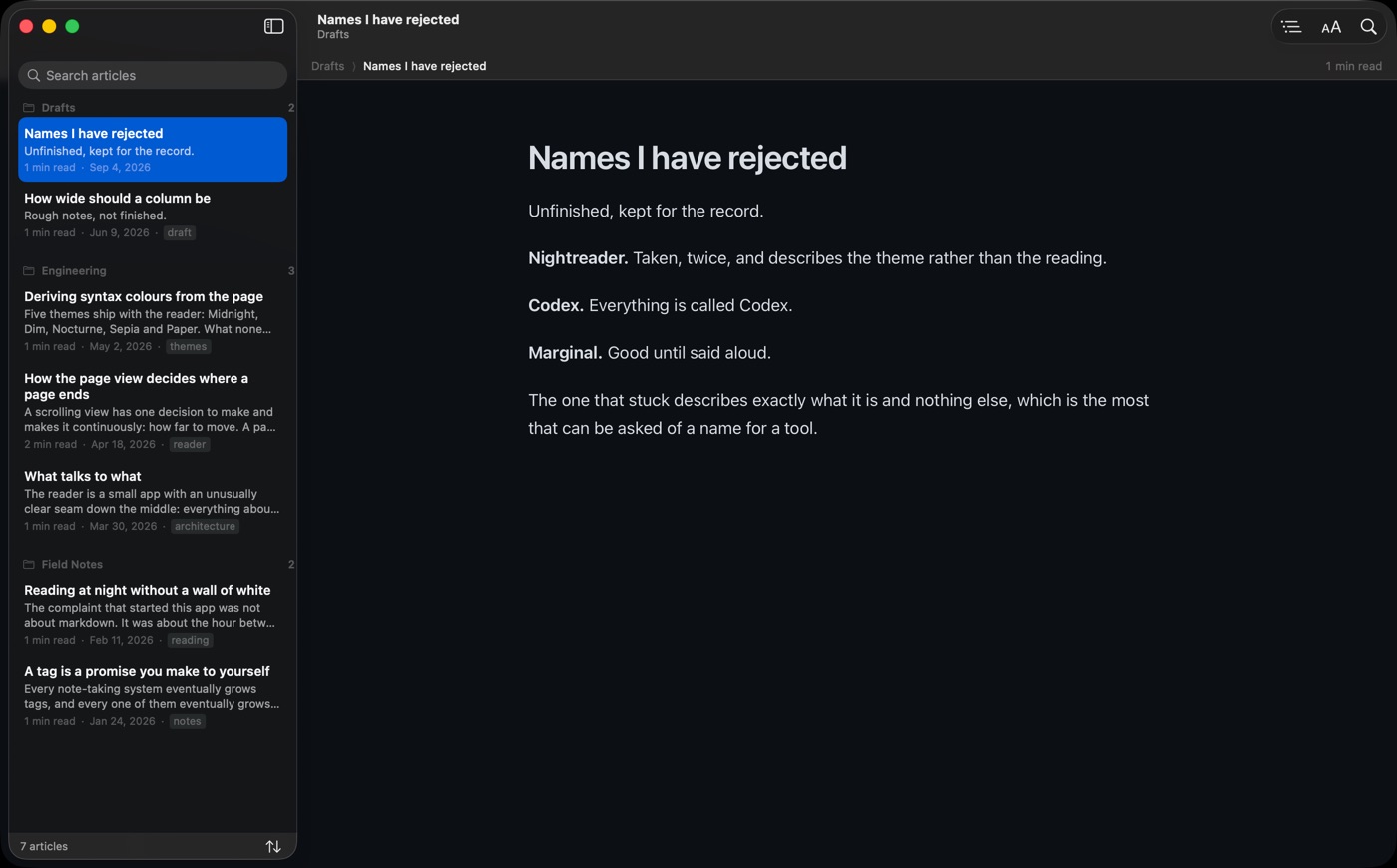
It reads the folder the way you would describe it.
Not 2024-06-11-draft-v3-FINAL.md, but the title the document gives itself —
YAML front-matter title:, else the first heading, else a humanised file name.
Articles stay grouped in the folders they live in, and each folder section collapses on
its own.
An article overview
Title, opening paragraph as a blurb, reading time, date and the first tag — the things you actually choose between.
Five reading themes
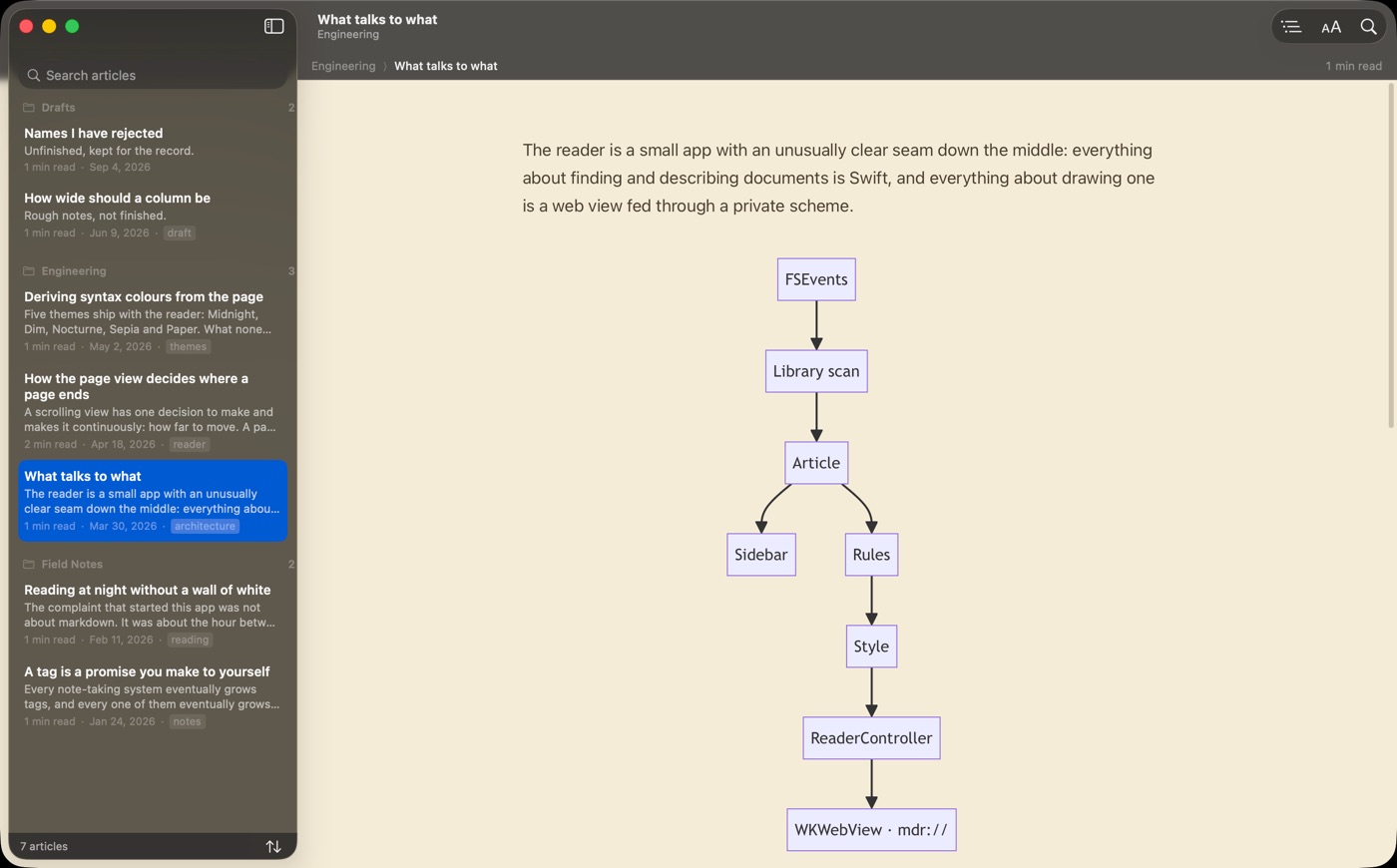
Midnight, Dim, Nocturne, Sepia and Paper. Syntax highlighting is derived from whichever is active, so code never glares out of the page.
Black and white, twice
Drain the colour from type, links and highlighting while photographs keep theirs — or take it out of everything. Two independent switches.
Reading controls
Text size, line height, column width, typeface, justification, and a brightness dial that dims the page without crushing its contrast.
It keeps up with your editor
Save a file and the article re-renders in place, holding your position. Where you were in every article survives a relaunch.
Full markdown
GFM tables, task lists, fenced code with copy buttons, Mermaid diagrams themed to match the page, and relative images resolved against the article's own folder.
Outline and find
The document's headings as a jumpable outline, and find-in-article that highlights as you type.
Print and PDF
What you are reading, in the theme you are reading it in, exported or printed.
Offline by construction
The renderer and its libraries are inside the app and fed to the view through a private scheme. It makes no network requests at all.
The page view
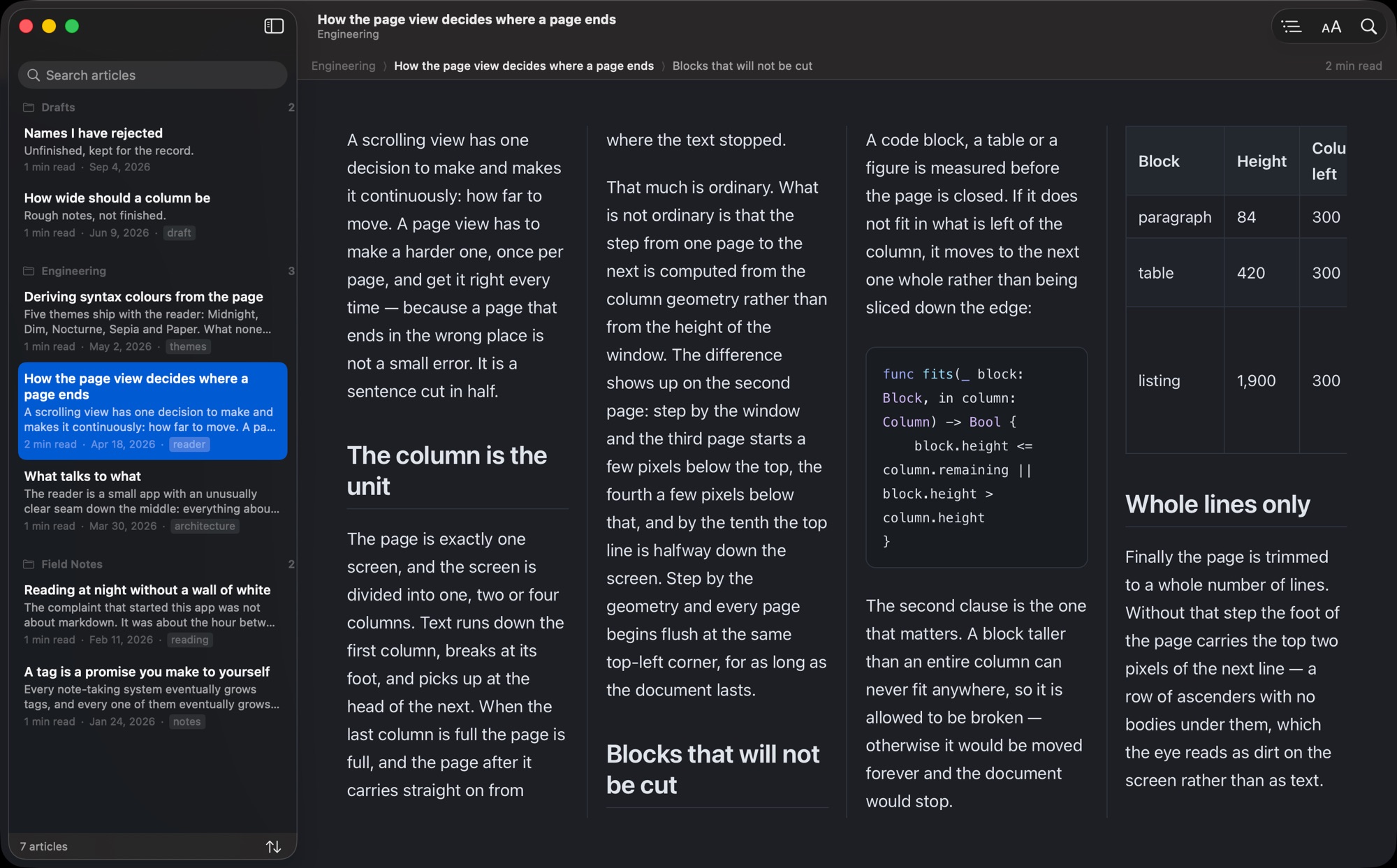
One, two or four columns — as a page, not a scroll.
The markdown answer to n-up paging. The page is exactly one screen: text runs down the first column, breaks at the foot of the page, and picks up at the head of the next. The page after that carries straight on.
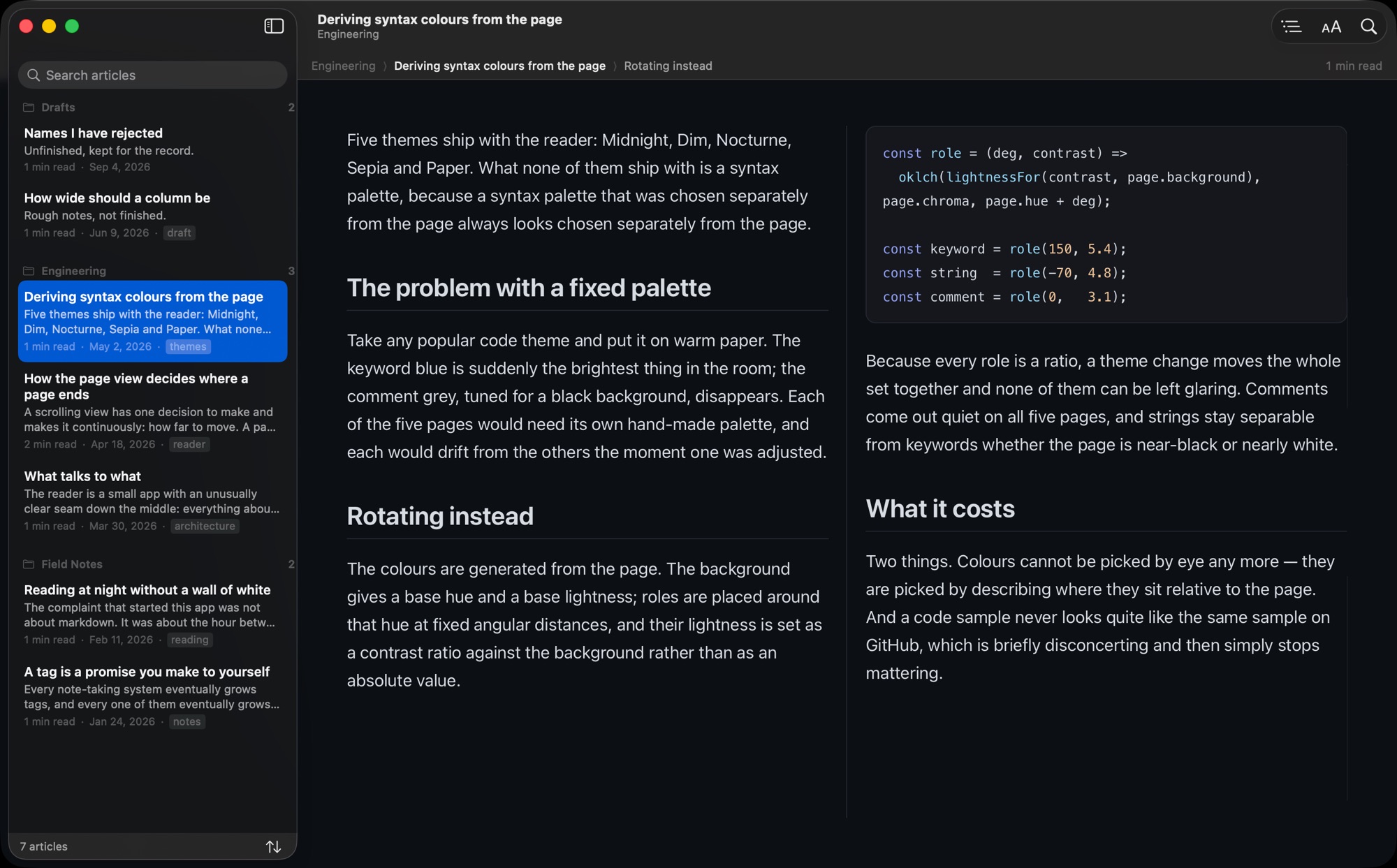
Nothing scrolls
The wheel, ← / →, space and ⌘] / ⌘[ flip whole pages from anywhere in the window, and the breadcrumb counts them.
Every page starts square
Pages step by the column geometry, so each one begins flush at the same top-left corner rather than wherever the last one happened to stop.
Nothing is sliced
Code blocks, tables and figures are never cut down a column edge, and a page is trimmed to a whole number of lines so it never ends on half of one.
One flip is one page's reading
Two columns flip two, four flip four. A single column advances one screenful with a couple of lines of overlap, so you do not lose the sentence you were on.
Rules
Dress a folder however you like, once.
A rule claims articles by folder, file name, title, tag or extension, and then overrides part of how they look: theme, columns, typeface, text size, brightness, monochrome. Drafts in muted grey. One folder always in sepia. A tagged series in two columns. Later rules win, and the breadcrumb names whichever rule is acting on what you are reading.
Paying for it
Free to read. Once, for the rest.
Opening articles is free and stays free — this is a reader, and it reads. For the first week everything else is switched on as well, so you can find out whether paging through four columns suits you before deciding. After that it folds away and the reader carries on. There is no subscription and nothing to cancel.
Free
Any folder, any article, all five themes, any text size, search, the outline and the live reload. For the first seven days, everything below as well.
Pro
One payment. Unlimited reading, on every Mac signed in to your Apple Account.
- Not a subscription
- Restorable on a new Mac
- No account, ever

Requirements
macOS 14 or later.
Markdown Dark Reader is sandboxed and reaches only the folder you hand it through the open panel, remembered between launches as a security-scoped bookmark. It has no account, makes no network requests, and collects nothing about you or your files.